

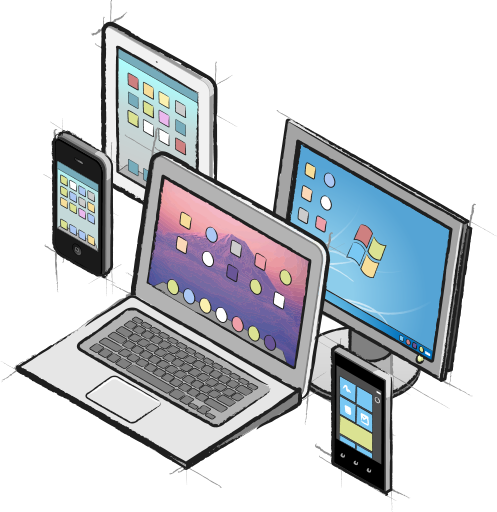
What, exactly, is “native” development?
Some developers and tool vendors, mostly those tied to unmanaged languages such as C++ or Delphi, define nativeness as compiling directly to the bytecode expected by the physical CPU. At RemObjects, we think that definition is imprecise. It doesn't take into account the full picture and the complexity of today's software systems. Consider this example: If you compile an application for x86, and then run it on an x64 CPU – is that really "native"? Arguably not.
CPU-native, unmanaged code is becoming less and less relevant these days. We believe true nativeness defines itself by other criteria: The nativeness of code and APIs, of applications, and — most of all — of the user experience.
Here at RemObjects, we pride ourselves on providing truly native software development solutions for a variety of platforms. We consider two different and separate levels to determine "native" development: a native user experience, and a native developer experience.
#1: A Native User Experience
What makes a native user experience? For a long time, there was only one platform for mainstream development: Windows. Things have changed: users are, by and large, choosing their work environment by preference. Each platform has its distinct user paradigms. Customers usually choose their computing platform carefully and want their applications to work and behave well on that particular system, adhering to their platform's standards.
Windows users expect applications to behave "the Windows way," and Mac users want them to work "the Mac way." Similarly, iOS users want applications for their iPhones and iPads that fit in with that platform's design philosophy. Android users and users of other devices anticipate different UI paradigms.
The degree to which applications need to fit in with their surrounding platform varies. Take games as an example. Games often sport more esoteric and platform-independent UIs. After all, games take you out of your daily routine and immerse you in an entertainment experience. Business and productivity applications, on the other hand, typically adhere more strictly to their platforms' UI conventions.
Nativeness also isn't purely driven by using prescribed stock UI controls and themes. For example, many of the most famous and most well-respected iPhone applications add subtle textures or nuances to the OS-provided controls. But those apps continue to feel "native" because they stick to fundamental UI standards. The controls — while looking visually refined — look, feel and, most importantly, behave according to the user's expectations.
To achieve that behavior, developers rely on the "native widget sets" of each platform. Whether it's a standard Win32 "Button" control or a native Mac NSButton, each widget set provides a unique look and feel. They manage details like the spacing of text within the confines of the surrounding rectangle, font sizes, styles and gradient strengths and directions. They manage the intricate details of how the control reacts and animates when it is clicked or touched. These subtle traits are ingrained in the user's mind; the user has subconscious expectations for how the control will feel when used, often down to the timing of animations. What may seem like unnecessary attention to detail becomes crucial to the user's experience. Otherwise, the user feels an "Uncanny Valley" effect.
Nativeness extends beyond just user controls. Most operating systems provide a general infrastructure that users are accustomed to seeing and working with — from the standardized Open/Close or Print dialogs on desktops to OS-provided Email or Tweet sheets on phones.
We believe that to create a genuinely native user experience with your application, your development tools need to let you work with the native widgets and infrastructure of the platform. No matter how much effort is put into "one size fits all" libraries, no cross-platform button will ever truly feel like a standard Windows button, like a standard Mac button, or like a standard iOS button. To treat your customers to a truly native application, you need to choose a development toolchain that lets you work with the native platform.
Currently, such toolchains include .NET/WPF, Metro/WinRT, Delphi/VCL (for Windows), Objective-C/Cocoa and Swift (for Mac and iOS), MonoMac and MonoTouch (for Mac and iOS, respectively), and Java (for Android).
Here at RemObjects, we try to support developers with all of these toolchain choices. Both with our compilers (Oxygene, RemObjects C# and Swift) and with our Data Abstract product suite, we have you covered on literally each and every one of the combinations listed above.
But: We believe that a native user experience, while crucial, is only half the story for successful app development.
#2: A Native Developer Experience
Back when Win32 was the gold standard of operating system APIs (and before), developer tools needed to provide strong abstraction layers because the OS APIs were so basic that working directly in them was like working in assembly language (or was, in fact, working in assembly).
When tools like Turbo Pascal, Visual Basic, or Delphi first came out, development was a chore using the core DOS or Win16/Win32 APIs. Developers welcomed abstraction layers that made coding easier, from basic class libraries to UI abstraction layers such as TurboVision, OWL, the VCL, or MFC.
Platforms and developer tools have evolved since then. With Microsoft's .NET and WinRT, Apple's Cocoa (and Cocoa Touch) or Android's Java-based Dalvik, OS APIs have reached a level that is developer-friendly, a level that can and should be used directly.
Further abstractions on top of these APIs are a distraction to the developer, not a help. They add an extra layer of unnecessary overhead both to the application and the development experience. Such abstractions have repeatedly shown to be failures, like when VCL.NET tried to reconstruct Delphi's well-liked class library on top of the .NET Framework, then at early version 1.1. .NET was already much more evolved and sophisticated, but orthogonal and thus incompatible.
Unnecessary abstractions of already good (or great) APIs serve no purpose to the developers using them. On the contrary, they separate developers from the platform, and from each other. For every article, sample or blog post provided by, say, Apple or the Cocoa community that shows how to use a feature of iOS, there has to be the equivalent "and here is how you do it in MonoTouch", "and here is how you do it in FireMonkey", "and here is how you do it in …". The abstraction keeps developers from being able to (re)use the platform vendor's documentation or samples. Worse, it fragments the developer community on the same platform. It keeps programmers from interacting and sharing code. Every Cocoa control written in MonoTouch is a Cocoa control that can't be easily reused by a developer using the native Xcode/Objective-C toolchain, nor by a developer using FireMonkey, or Titanium, or any other abstraction layer.
Abstractions also keep developers from adopting new platform features quickly and easily. When the latest SDKs from the platform vendor comes out, developers using the native toolchains usually can start working with the new technologies from day one (or even earlier). The very moment a new Android SDK hits, native Java developers can consume the new APIs. The very day a new iOS version becomes available, Cocoa developers can start getting their fingers dirty with the new goodness. All the while developers stuck behind a non-native abstraction layer need to wait for their tool vendor to abstract the new APIs for them.
Not to mention that non-native development tools will often lock you in and force you to stick with the abstraction layer.
The main selling point and attractiveness of a non-native toolchain usually is "familiarity," the notion that the abstraction layer will let you get into a new platform without the steep learning curve of, well, learning a new platform.
But that is misleading and frequently turns out not to be the case. The primary learning curve on a new platform is usually not the development language or even the class framework. It's getting to know the platform itself and how to write great applications for that platform (looping us back to our first criterion: the native user experience).
Working with an abstraction layer turns out to have the opposite effect than intended, by making it harder to understand the platform vendor's documentation (which is all tailored towards the platform-native tools, of course) and making it harder to re-use existing code samples found online.
To go back to the example of iOS: Having to look at and understand documentation or samples written for Cocoa's Objective-C APIs might seem difficult if one is not yet familiar with the paradigms of Objective-C. It's more difficult to look at that same documentation or sample and then figure out how it translates to your — say — C#-based abstraction layer.
No abstraction layer is ever perfect. Eventually, the underlying platform and its APIs will leak through, and you'll have to deal with it. Any efforts to avoid getting to know and understand the platform before developing on it is misguided and only delays the inevitable. Eventually, the abstraction is missing a feature, and the developer has to dig down to the base APIs and implement it themselves. Or a bug arises that needs more debugging than the abstraction layer supports.
As with the native user experience, we at RemObjects Software have made it our mission to support and encourage developers to use platform-native development tools. You'll notice we'll even encourage developers to go for the more native toolchain in cases where recommending a less native solution would mean an additional sale for us.
On the compiler front, Oxygene, C# and Swift support platform-native development on classic Windows, Metro (Windows 8 and 10), Windows Phone, Android, Mac, iOS, watchOS and tvOS. Our compilers are also a great choice for building cross-platform servers based on Mono or Java.
With the Data Abstract suite, we support native development for all current major platforms: classic Windows (via .NET and Delphi), Metro/WinRT, Windows Phone, Mac, and iOS, as well as Android and other Java-based platforms.
Other Concerns, Such as Code Reuse
We realize of course that other factors play into the decision for the development toolchain. Considerations such as code reuse might rank higher on the list of priorities than a native development experience, and that is ok.
Our philosophy: developers should aim for a toolchain that is a native user experience and developer experience. If necessary, make a compromise in the developer experience. It is, after all, a compromise that affects only the developer, if pursued correctly. No compromise, in our experience, should ever be made with regard to providing a truly native user experience.
Regarding code reuse between platforms, we at RemObjects Software aim to help on both on the language and back-end database fronts. We provide the common Oxygene, RemObjects C#, and Silver languages as developer-native languages for all major platforms, along with their Sugar library. We keep Data Abstract wire-compatible and letting you share a common server infrastructure for all your native client applications.
Read More
You can find out more about our cross-platform, platform-native products, Elements (Oxygene, C#, and Swift) and Data Abstract, at remobjects.com/elements and remobjects.com/da, respectively.
And you can find an overview matrix of how our products fit into the various native (as well as semi-native and non-native, if you must go there) development chains, at remobjects.com/products/toolchains.
This topic was first published on our blogs.